JEE Main 2026 Session 2 Begins, Admit Card Released for April 5 to 8 Exams - All Updates - Telegraph India
Your complete guide to the JEE Main 2025 admit card. Learn how to download your NTA hall ticket, check details, find the link, and follow crucial exam day instructions.
16 min read
Think of it like the golden ticket in Charlie and the Chocolate Factory. That one piece of paper is your exclusive pass to the big show. For you, that show is the JEE Main exam, and your golden ticket is the JEE admit card.
This document is far more than just an entry pass. It's your identity, your rulebook, and your key to the exam hall. Getting it, understanding it, and using it correctly is the first step to acing the exam before you even answer a single question.
This guide is your one-stop shop for everything related to the NTA JEE Main admit card. We'll cover how to download it, what to check, what to do if there's a mistake, and the all-important rules for exam day. Let’s get you ready for the main event.
What is the NTA JEE Main Admit Card 2025?
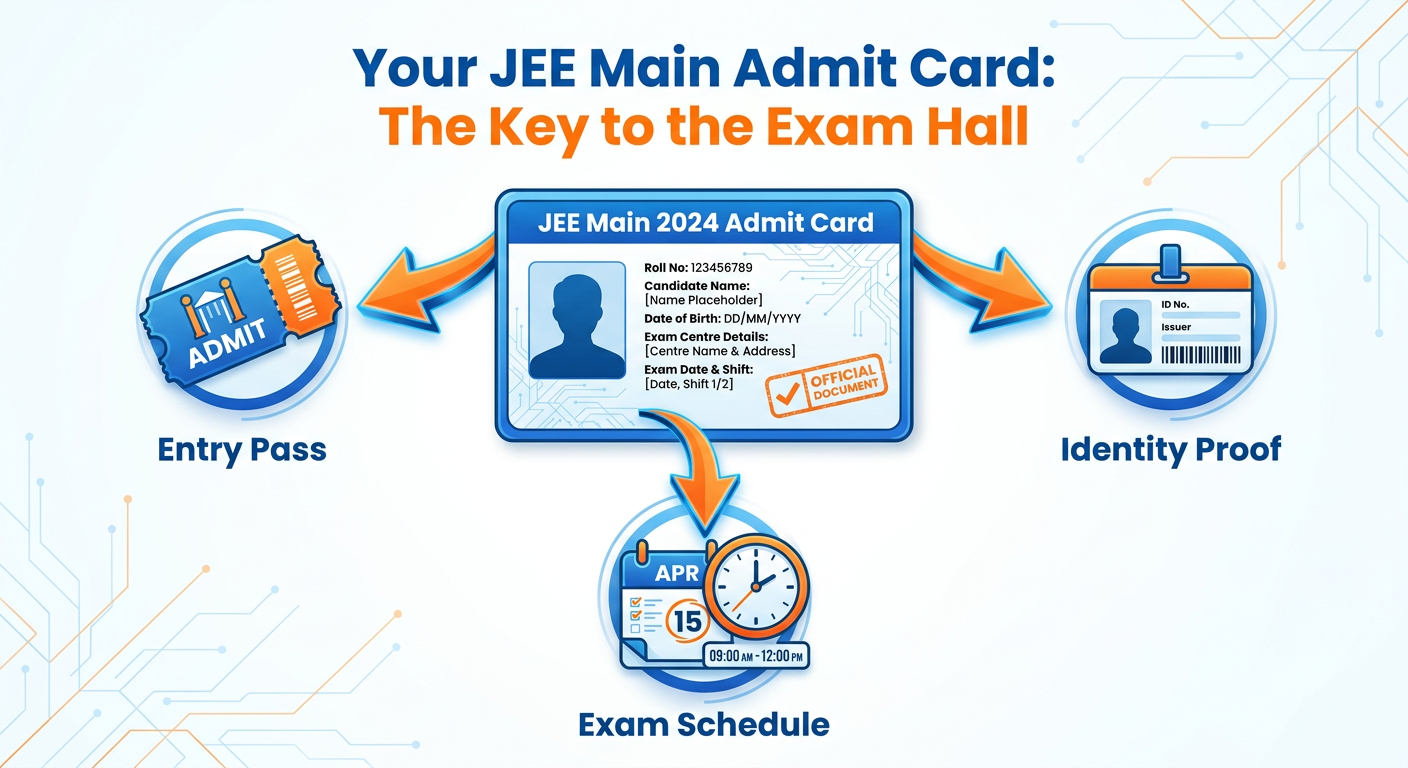
The NTA JEE Main admit card is the official hall ticket issued by the National Testing Agency. It is the single most important document you need to carry to your examination centre. Without a printed, valid admit card, you will not be allowed to enter the exam hall. No exceptions.
This document serves as definitive proof that you are a registered candidate for the exam. It contains all your crucial details, from your name and roll number to the exact location of your test centre and the specific time of your exam shift. Think of it as your official permission slip from the NTA.
It’s also important to distinguish the admit card from the Advance City Intimation Slip. The city slip is released earlier and only tells you the city where your centre is located, so you can plan your travel. The final admit card, released a few days before the exam, gives you the exact address of the centre.
JEE Admit Card Release Date: When to Expect It

One of the most frequently asked questions is about the release date. The NTA follows a standard pattern for this. Typically, the JEE Main admit card is released about three to four days before your scheduled exam date. It is not released for all candidates on the same day; it's released in phases based on the exam dates.
Why the wait? This phased release helps in managing the massive server load and also minimizes the chances of any malpractice. It ensures a smoother process for everyone involved. So, if your friend got their admit card and you haven't, don't panic. Your exam date is likely later than theirs.
Your best source of information is always the official NTA website. We strongly advise you to regularly check the official portal at https://jeemain.nta.nic.in/ for the latest announcements. Avoid relying on rumors or unverified news sources.
How to Download Your JEE Main Admit Card: A Step-by-Step Guide
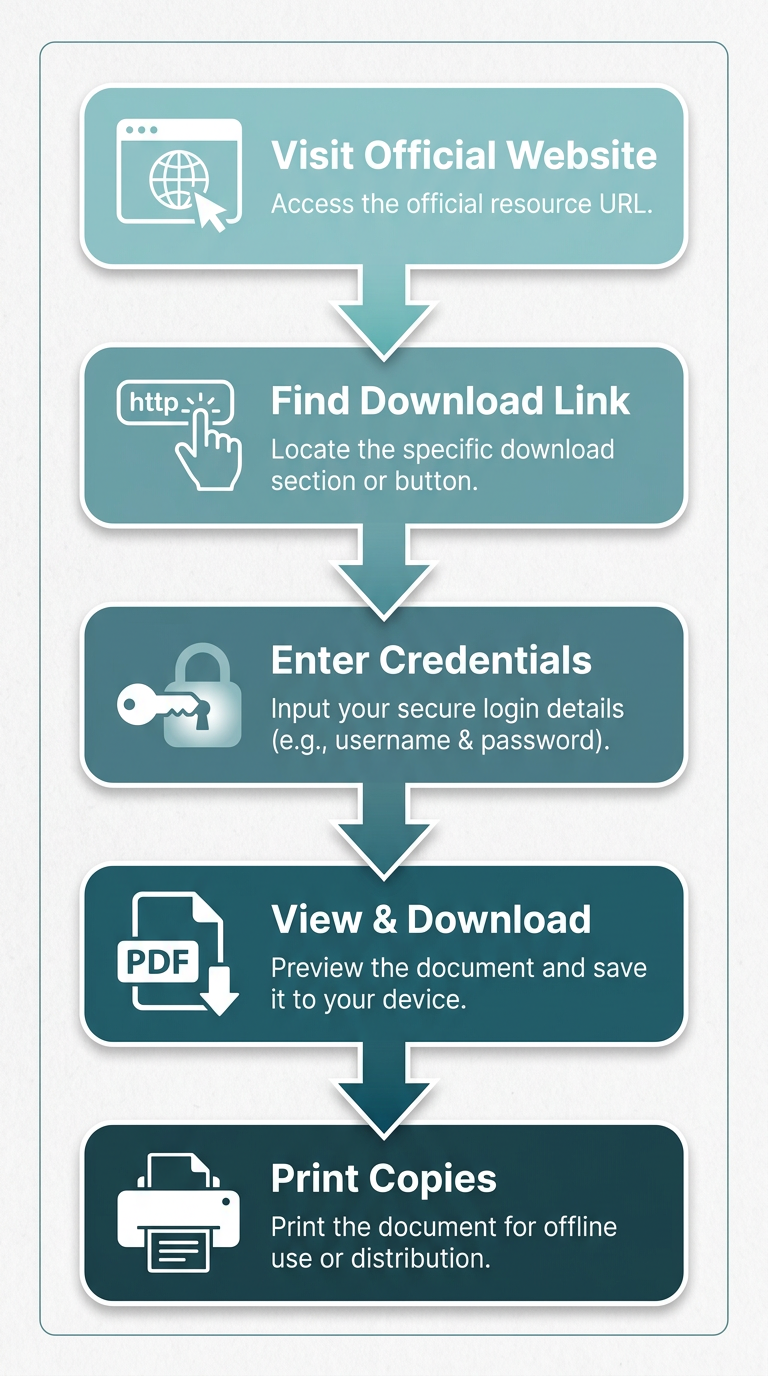
Downloading your admit card is a straightforward process, but it can be stressful if you're doing it for the first time. Follow these steps carefully to get your hall ticket without any hassle.
Step 1: Visit the Official NTA JEE Main Website
First things first, open your web browser and navigate directly to the official JEE Main website. The only official URL is jeemain.nta.nic.in. Be very careful of fake or similar-looking websites designed to steal your information. Always double-check the URL in your address bar.
Step 2: Find the "Download Admit Card" Link
Once you are on the homepage, look for the candidate activity section or the public notices area. The NTA will prominently display a link that says something like, "JEE (Main) 2025 – Session X: Download Admit Card." Click on this specific link to proceed to the login page.
Step 3: Enter Your Login Credentials
This is the crucial step where you need to provide your details. You will be asked for three pieces of information:
- Application Number: This is the unique number you received when you registered for JEE Main. You can find it in your application confirmation email or SMS.
- Date of Birth: Enter your date of birth in the format requested (usually DD/MM/YYYY).
- Security Pin: You'll see a case-sensitive captcha or security pin displayed on the screen. Type it exactly as shown into the box.
After filling in these details, click the 'Submit' or 'Login' button.
Step 4: View and Download the Admit Card
If your credentials are correct, your JEE Main admit card will appear on the screen. Before you do anything else, take a moment to review all the details. Once you've confirmed everything looks right, click on the 'Download Admit Card' button. The file will be saved to your device, usually as a PDF.
Step 5: Print Multiple Copies
Do not just leave the file on your computer. It is mandatory to carry a physical printout to the exam centre. We highly recommend taking at least two or three clear printouts on clean, white A4-sized paper. A color printout is preferred as it makes your photograph clearer. Keep one copy with you, give one to your parents for safekeeping, and keep a spare in your bag.
Forgot Your Application Number? Here's How to Recover It
It happens to the best of us. In the middle of all the stress, you might forget or misplace your JEE Main application number. Don't worry, the NTA has a recovery process in place.
On the admit card login page, look for a link that says "Forgot Application Number?" or something similar. Click on it. This will take you to a recovery page.
Here, you will be asked to enter some basic details to verify your identity. This typically includes your full name, your father's name, your mother's name, and your date of birth. Make sure you enter these details exactly as you did in your application form.
After you submit this information, the system will find your profile and your application number will be displayed on the screen. It might also be sent to your registered email address and mobile number. Note it down carefully this time and keep it somewhere safe.
Details Mentioned on Your JEE Admit Card: Check Every Word!
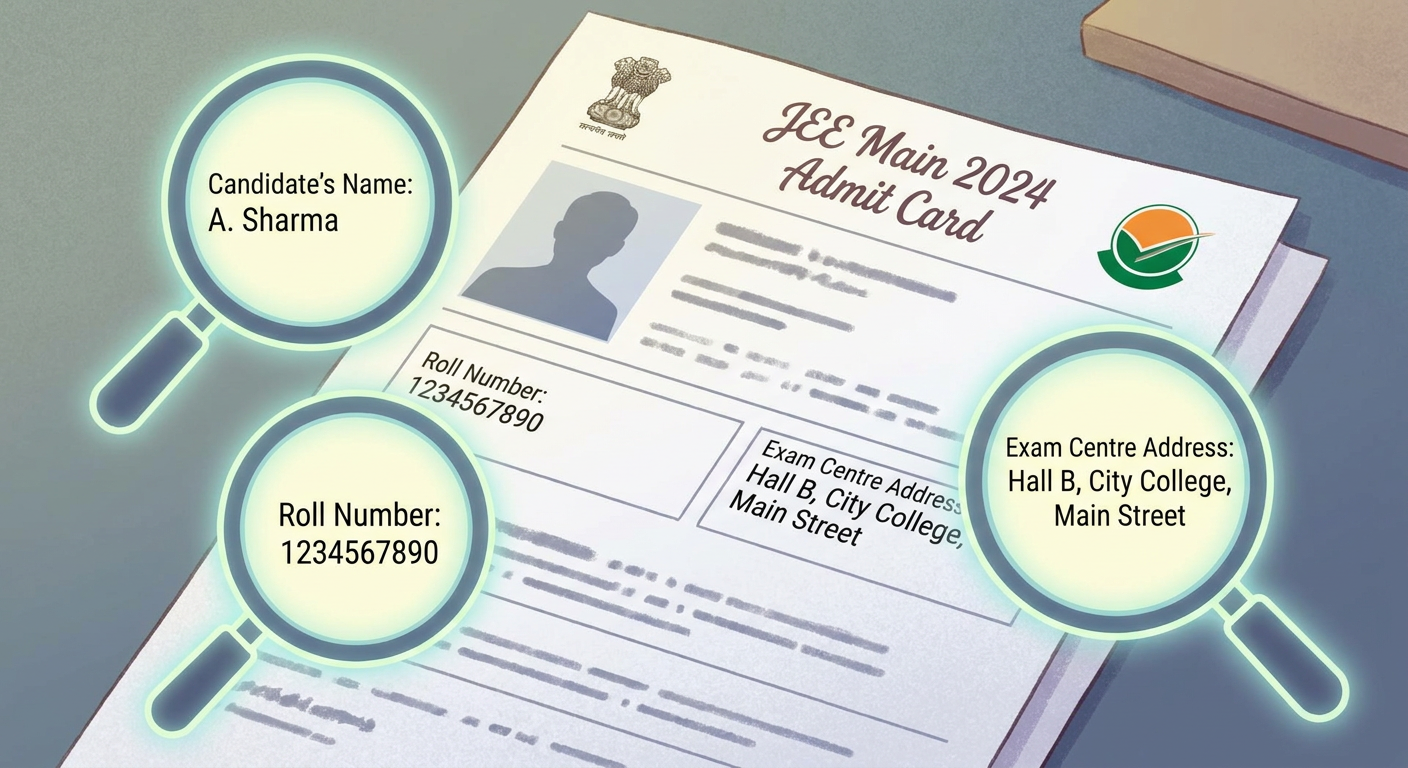
The moment you download your admit card, your first job is to become a detective. You need to scrutinize every single detail on it. Any error, no matter how small, can cause problems on exam day. Here is a checklist of things you must verify:
Personal Details:
- Your Name (check for spelling)
- Roll Number
- Father’s Name (check for spelling)
- Gender
- Date of Birth
- Category (General, OBC-NCL, SC, ST, etc.)
- Person with Disability (PwD) Status (if applicable)
- State of Eligibility
- Your Photograph (should be clear and recognizable)
- Your Signature (should be clear)
Exam & Centre Details:
- JEE Main Application Number
- Paper you are appearing for (e.g., B.E./B.Tech - Paper 1)
- Medium of Question Paper
- Date of Examination
- Reporting Time at Centre
- Gate Closing Time of Centre
- Timing of Test (e.g., 9:00 AM to 12:00 PM)
- Test Centre Number
- Venue of Test (Full Address)
If every single one of these details is correct, you can breathe a sigh of relief. If not, you need to act immediately.
Found a Mistake? How to Handle Discrepancies in the JEE Admit Card
Discovering an error on your admit card can be scary, but there is a process to fix it. A discrepancy could be a spelling mistake in your name, a blurry photograph, the wrong category, or any other incorrect information.
Your first step is to contact the NTA immediately. Do not wait. The NTA provides a dedicated helpline for candidates. You should call their helpline number and also send them an email clearly explaining the issue. Always have your application number ready when you call.
NTA Help Desk:
- Phone: Check the official NTA or JEE Main website for the latest contact numbers.
- Email: Find the official support email address on the website.
In your email, mention your name, application number, and a detailed description of the error. If possible, attach a scanned copy of the admit card with the error highlighted. NTA will guide you on the next steps. They may issue a corrected admit card or ask you to bring an undertaking to the exam centre. The key is to act fast.
The Self-Declaration (Undertaking) Form: What You Need to Do
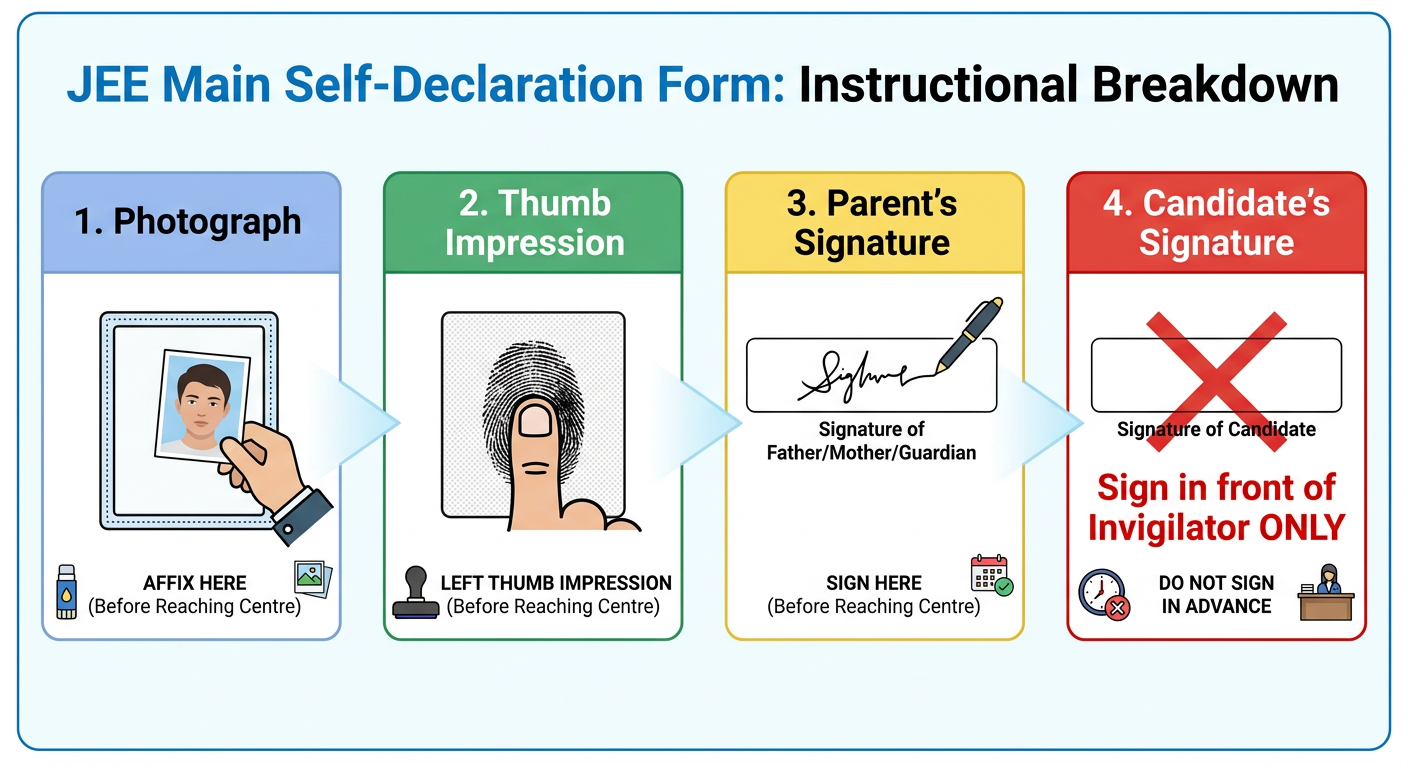
Attached to your admit card is a crucial document called the Self-Declaration or Undertaking. This form must be filled out before you leave for the exam centre, but with one very important exception. Let's break down what you need to do.
-
Passport-Sized Photograph: You must affix a recent passport-sized photograph in the designated space. This must be the same photograph that you uploaded with your JEE Main application form.
-
Left-Hand Thumb Impression: In the provided box, you need to put a clear impression of your left thumb. Use a blue or black ink stamp pad. Make sure it is not smudged. Practice on a rough sheet of paper first if you need to.
-
Parent's/Guardian's Signature: There will be a space for your parent or guardian to sign. Get this done before you leave home.
-
Candidate's Signature: This is the most critical part. You must NOT sign the form at home. The candidate's signature must be done inside the examination hall, in the presence of the invigilator. Signing it beforehand can lead to complications.
Fill out all other required details carefully. This completed form is part of your admit card and must be handed over to the invigilator.
Essential Documents to Carry on JEE Main Exam Day
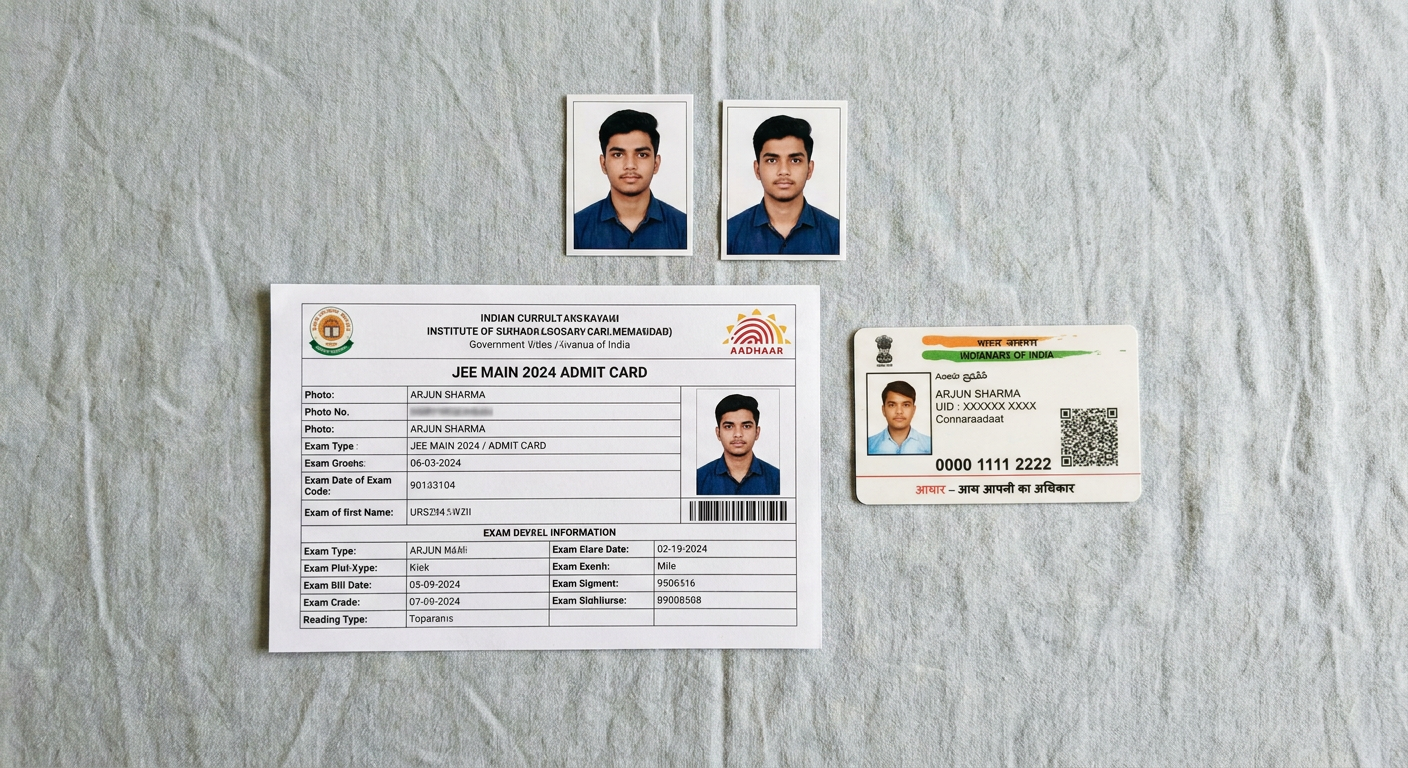
On the day of the exam, you need to have a specific set of documents ready. Forgetting any of these can result in you being denied entry. Create a checklist and double-check it before you leave.
Here’s what you must carry:
-
A clear printout of your JEE Main Admit Card: This should be on A4 paper, and the Self-Declaration (Undertaking) attached to it must be duly filled out (except for your signature).
-
One Original, Valid Photo ID Proof: This is non-negotiable. Digital copies or photocopies are not accepted. Acceptable IDs include:
- Aadhaar Card (the most preferred)
- PAN Card
- Voter ID
- Driving License
- Passport
- School Identity Card
-
One Passport-Sized Photograph: Carry at least one extra photograph. This should be the same one used on the application form. It will be pasted on the attendance sheet at the centre.
-
PwD Certificate (if applicable): If you are a candidate with a disability, you must carry your original PwD certificate issued by the competent authority.
That's it. Do not carry anything else unless specifically mentioned in your admit card instructions.
JEE Main Exam Day Guidelines: The Dos and Don'ts
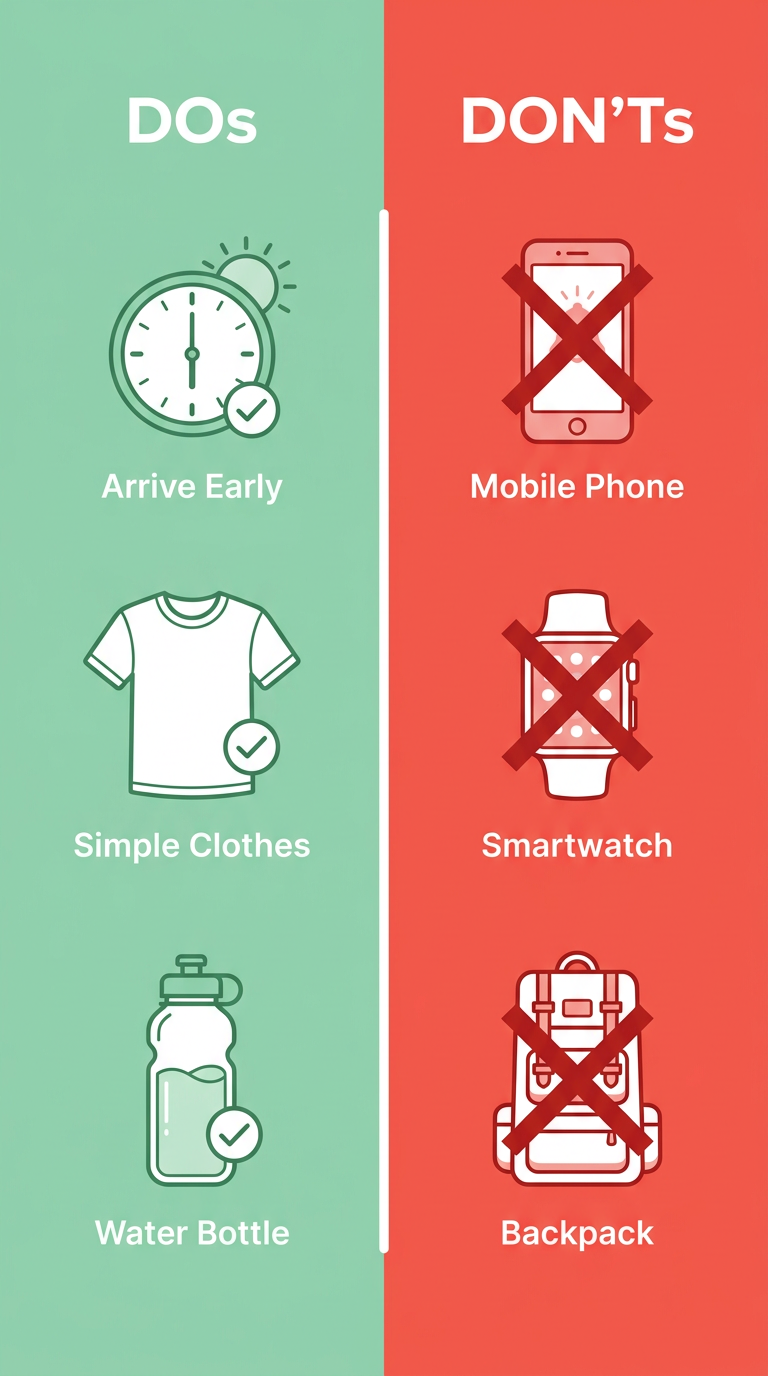
Your conduct on exam day is just as important as your preparation. Following the guidelines ensures a smooth and stress-free experience for you and everyone else.
Reaching the Exam Centre
- Do: Visit your exam centre a day or two in advance to know its exact location, travel time, and traffic conditions. This will prevent last-minute panic.
- Do: Arrive at the centre at least 90 minutes before the reporting time mentioned on your admit card. This gives you enough buffer for security checks and verification.
- Don't: Be late. The gates will close at the time mentioned on your admit card, and they are very strict about this.
Dress Code for JEE Main
- Do: Wear simple, light, and comfortable clothes. Avoid anything with too many pockets or large metallic buttons.
- Do: Opt for open footwear like sandals or slippers. Shoes are generally discouraged as they require more thorough checking.
- Don't: Wear any jewelry, watches (even simple analog ones), caps, or sunglasses. These items are strictly prohibited.
Items Allowed Inside the Hall
- Do: Carry your admit card, a valid original ID, and an extra photograph.
- Do: Bring a simple, transparent ballpoint pen for rough work.
- Do: You can carry a personal transparent water bottle. No other bottles are allowed.
- Do: If you are a diabetic student, you can carry sugar tablets or fruits like a banana or apple, but you need prior intimation and approval.
Prohibited Items: Leave These at Home!
This is a strict list. Carrying any of these items, even by mistake, can lead to your disqualification.
- Don't: Bring any electronic devices: mobile phones, earphones, microphones, pagers, health bands, smartwatches, or calculators.
- Don't: Carry any personal belongings like wallets, handbags, or belts with large buckles.
- Don't: Bring any stationery items like geometry boxes, pencil boxes, written paper, or textual material.
- Don't: Carry any food items or drinks other than what is permitted.
Most centres do not have a safe place to store your belongings. It is best to leave them at home or with your parents outside the centre.
Inside the Exam Hall: The Procedure
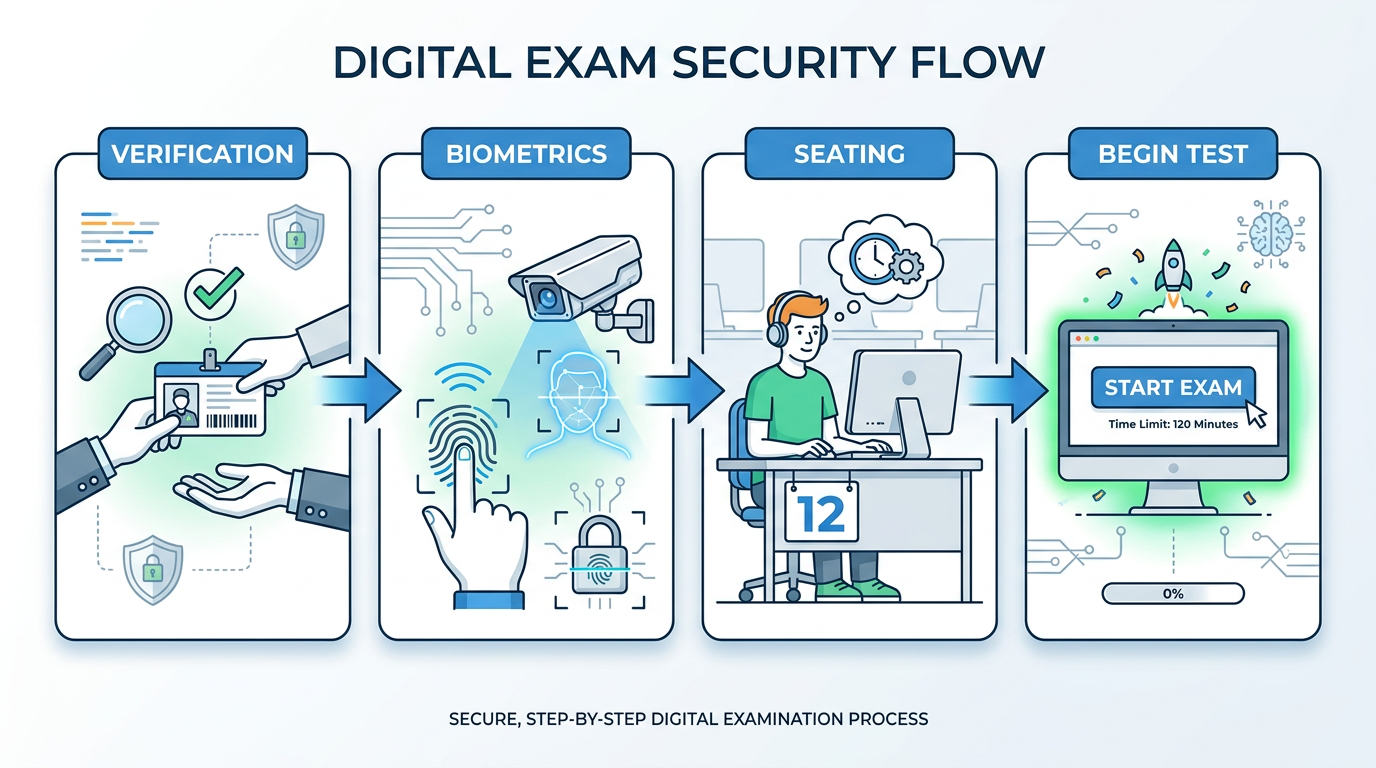
Once you enter the centre, there's a set procedure you'll follow. Knowing it beforehand can help calm your nerves.
-
Verification: At the entrance, security personnel will check your admit card and ID proof. They will use a handheld metal detector for frisking.
-
Registration and Biometrics: You will proceed to a registration desk where your photograph will be taken, and your biometrics (like a thumb impression) might be captured.
-
Seat Allotment: You will be assigned a computer with a specific number. Go to your designated seat. Do not attempt to change it.
-
Rough Work: Blank A4 sheets for rough work will be provided at your desk. You must write your name and roll number at the top of each sheet. These sheets must be dropped in the designated box before you leave the hall.
-
Attendance Sheet: An invigilator will bring an attendance sheet. You need to sign it and paste your passport-sized photograph in the space provided.
-
Login and Instructions: You can log into the computer system using your credentials. Read all the instructions on the screen carefully before the test begins. Listen to every announcement made by the invigilator.
Your preparation journey has been long. To give it the final push, make sure you've solved enough problems. You can practice with our extensive library of JEE Main previous year questions to get a real feel of the exam.
After the Exam: What to Do with Your Admit Card?
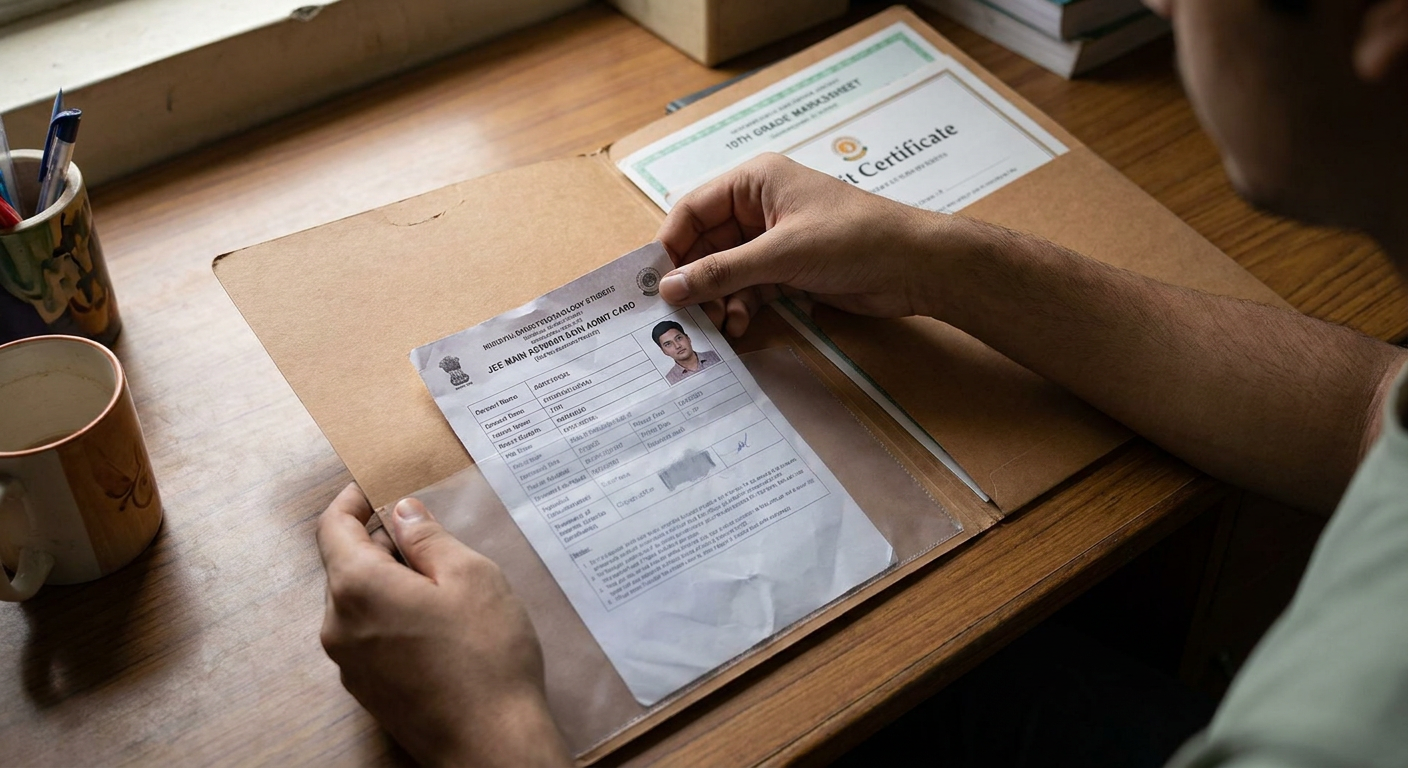
Once the exam is over and you step out of the hall, your first instinct might be to discard the admit card. Do not do this!
The JEE Main admit card is a crucial document that you need to preserve carefully even after the exam is over. It is required during the counselling and admission process conducted by JoSAA (Joint Seat Allocation Authority) and CSAB (Central Seat Allocation Board).
When you go for document verification at your allotted institute (like an NIT or IIIT), you will be asked to produce the admit card as proof of your appearance in the exam. Keep it in a safe folder along with your scorecard and other academic documents. You've worked hard to get this far; don't let a lost document cause problems later.
After a tough exam, you'll naturally be anxious about your performance. To get a good idea of where you stand, you can use tools like our JEE rank predictor tool once the official answer keys are out.
FAQs
What if I can't download my JEE admit card?
First, check your internet connection and try clearing your browser's cache. If it still doesn't work, ensure you are entering the correct application number and date of birth. The issue might also be due to an incomplete application form or non-payment of the fee. In such a case, you must contact the NTA helpline immediately for assistance.
Is a color printout of the admit card mandatory?
While the NTA instructions usually don't explicitly state that a color printout is mandatory, it is highly recommended. A color printout ensures that your photograph and other details are clearly visible, which helps in smooth verification at the exam centre. It's always better to be safe than sorry.
Can I change my exam centre after the admit card is released?
No. The NTA has a strict policy against changing the allotted exam centre. The venue mentioned on your admit card is final and cannot be changed under any circumstances. This is why it's vital to choose your preferred cities carefully during the application process.
My name is spelled incorrectly on the admit card. What should I do?
You need to contact the NTA Help Desk via their official phone number and email address as soon as you notice the error. Explain the discrepancy clearly, providing your application number. They will guide you on the necessary steps. You might be allowed to appear for the exam, possibly with an undertaking stating the issue.
Do I need to sign the self-declaration form at home?
Absolutely not. While you must affix your photograph, put your thumb impression, and get your parent's signature at home, the candidate's signature must be done inside the exam hall. This has to be in the presence of the on-duty invigilator. Do not sign it beforehand.
What is the difference between the City Intimation Slip and the Admit Card?
The City Intimation Slip is an advance notification released by the NTA to inform you of the city where your exam centre will be. This helps you plan your travel and accommodation. The final JEE Admit Card is released later and contains the complete details: the exact name and address of the exam centre, your specific exam date, and shift timing.