JEE MAIN 2026 Session 2 Admit Card Release Date As per NTA - PW
Your complete guide to the JEE Main 2026 Admit Card. Get tentative release dates, step-by-step download instructions, and crucial exam day rules from NTA.
19 min read
Remember the feeling of waiting for the first day, first show ticket for a blockbuster movie? The excitement, the nervousness, the constant refreshing of the booking page. The JEE Main admit card is that, but a million times more important. It's not just a piece of paper; it's your golden ticket to the exam hall, the culmination of two years of hard work, late nights, and endless problem-solving.
Every year, lakhs of students feel this same mix of anxiety and anticipation. The release of the JEE admit card is a major milestone, making the exam feel incredibly real. This document is your pass to one of the most competitive engineering entrance exams in the world. Without it, you cannot even enter the exam centre.
This guide is designed to be your one-stop resource for everything related to the JEE Main 2026 admit card. We'll cover when to expect it, how to download it, what every detail on it means, and the crucial rules you must follow on exam day. Let's make sure nothing stands between you and your dream engineering college.
What is the JEE Main 2026 Admit Card?
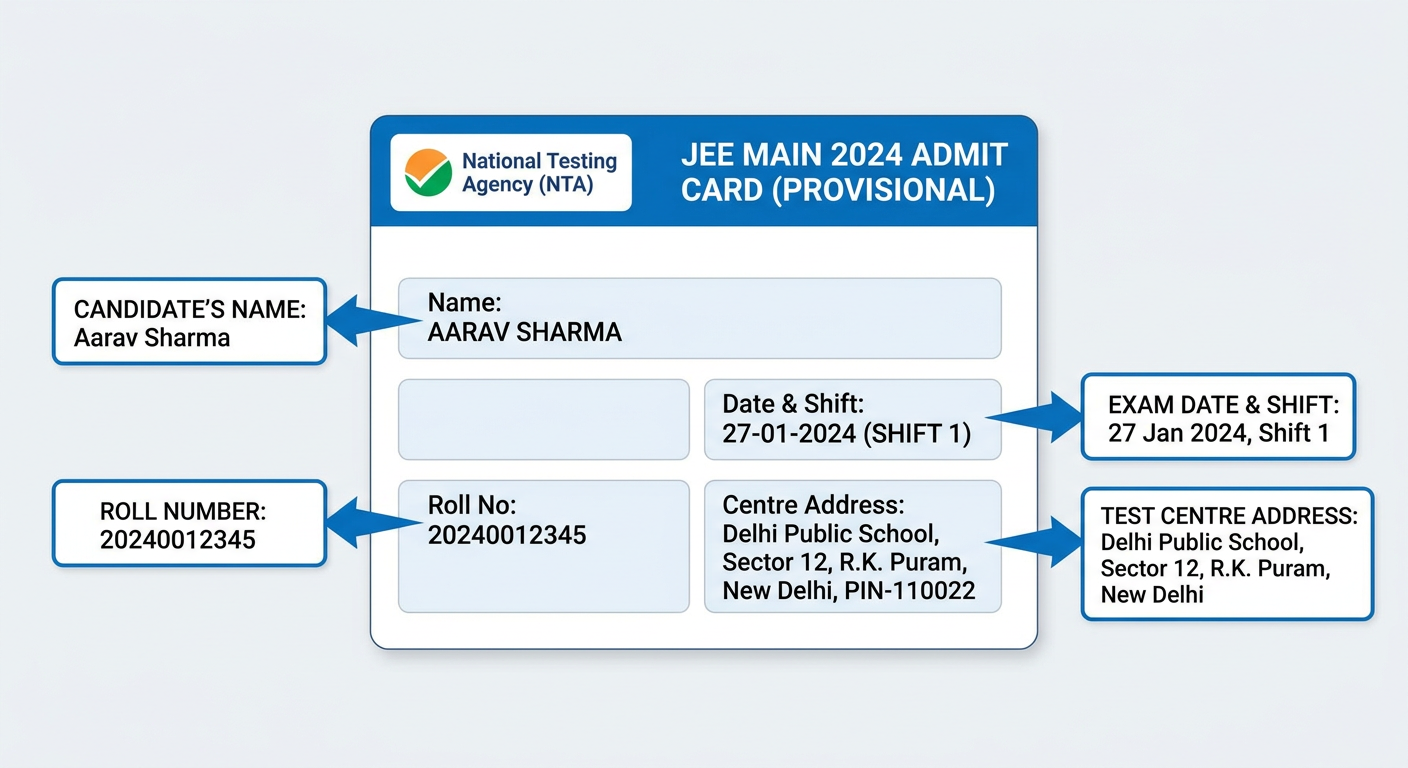 Think of the JEE admit card as your official hall ticket, issued by the National Testing Agency (NTA). It’s the single most important document for your exam day. It acts as proof that you are a registered candidate and grants you entry into the examination centre. Simple, right? But its importance cannot be overstated.
This document contains all the critical information about your specific exam session: your name, roll number, exam date, shift timing, and the exact address of your exam centre. It also includes a self-declaration form that you need to fill out before reaching the venue.
For JEE Main, which is conducted in two sessions (typically January/February and April), the NTA issues a separate admit card for each session. So, if you've applied for both sessions, you will need to download your admit card twice, once before each attempt.
JEE Main 2026 Important Dates (Tentative)
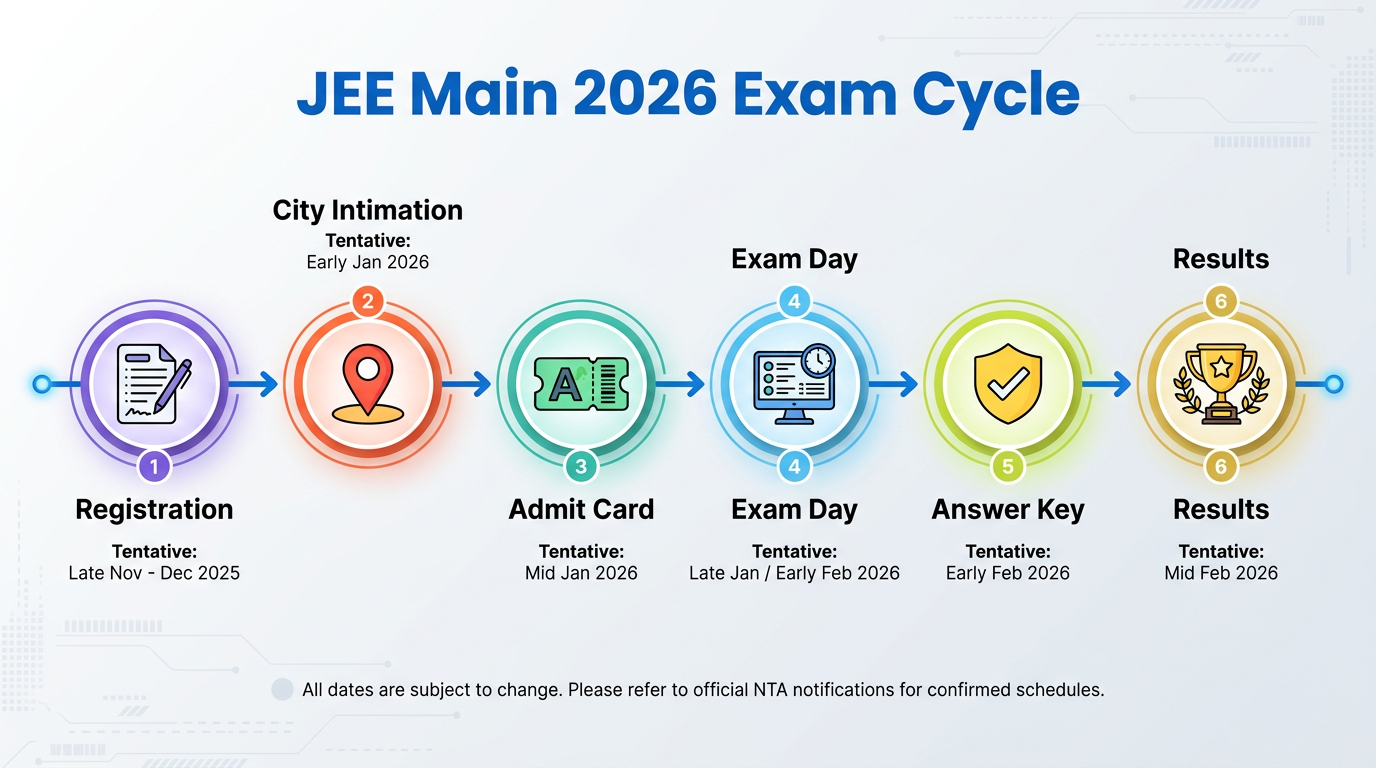 Planning is key to avoiding last-minute panic. While the NTA will release the official schedule for JEE Main 2026, we can look at previous years' trends to get a good idea of the timeline. This helps you stay prepared and know when to expect key announcements.
Please Note: These dates are purely tentative and for planning purposes only. Always refer to the official NTA website for confirmed dates.
Here’s a potential timeline for both sessions of JEE Main 2026:
JEE Main 2026 Session 1 (January/February)
| Event | Tentative Dates |
|---|---|
| Registration Start Date | November 2025 |
| Registration End Date | December 2025 |
| Application Correction | December 2025 |
| Advance City Intimation Slip | 2nd Week of January 2026 |
| JEE Admit Card Release | 3 days before your exam date |
| JEE Main Exam Dates | Last week of January to 1st week of February 2026 |
| Answer Key Challenge | February 2026 |
| Final Result Declaration | February 2026 |
JEE Main 2026 Session 2 (April)
| Event | Tentative Dates |
|---|---|
| Registration Start Date | February 2026 |
| Registration End Date | March 2026 |
| Advance City Intimation Slip | End of March 2026 |
| JEE Admit Card Release | 3 days before your exam date |
| JEE Main Exam Dates | First to second week of April 2026 |
| Answer Key Challenge | April 2026 |
| Final Result Declaration | End of April 2026 |
The NTA typically releases the admit card about three days before the actual exam date for each candidate. This is done to minimize the chances of any malpractice. Keep a close watch on the official website during that window.
How to Download Your JEE Admit Card 2026?
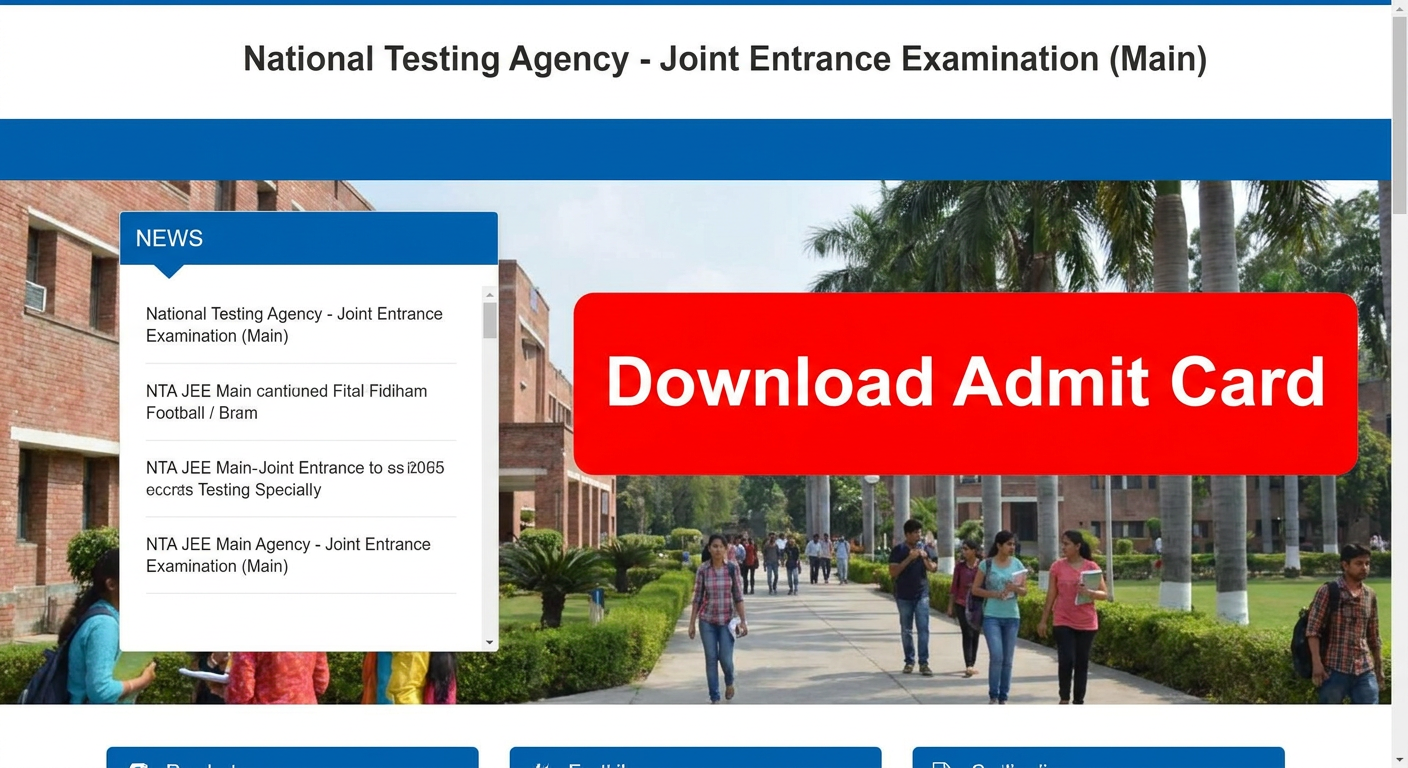 When the time comes, downloading your admit card is a straightforward process. But with high traffic on the NTA website, it’s good to know the exact steps to avoid confusion. Follow this guide to download your JEE admit card smoothly.
Here is a simple, step-by-step process:
-
Visit the Official Website: Open your web browser and go to the official NTA JEE Main portal: https://jeemain.nta.nic.in/. Be careful of fake websites.
-
Find the Admit Card Link: On the homepage, look for a flashing link that says something like, "JEE (Main) 2026 – Session X: Download Admit Card". Click on it.
-
Enter Your Credentials: You will be taken to a login page. Here, you need to enter your details carefully:
- Application Number (you received this during registration)
- Date of Birth (in DD/MM/YYYY format)
- Security Pin (this is the case-sensitive code displayed on the screen)
-
Submit and View: After entering the details, click the 'Submit' button. Your admit card will appear on the screen.
-
Download and Save: Don't just look at it! Click on the 'Download Admit Card' button. A PDF file will be downloaded to your device. Save it in a folder where you can easily find it, like your desktop or a dedicated 'JEE Docs' folder.
-
Print Multiple Copies: Take at least two or three clear, color printouts of the admit card. Keep them safe. One for the exam day, and a few spares just in case. It's better to be safe than sorry.
What If You Forget Your JEE Login Credentials?
It happens to the best of us. Amidst the pressure of preparation, forgetting your Application Number is not uncommon. Thankfully, the NTA portal has a recovery option.
If you forget your Application Number, look for a "Forgot Application Number?" link on the login page. Clicking it will usually ask for your Name, Father's Name, Mother's Name, Date of Birth, and the security pin. Once you provide these details, your Application Number will be displayed on the screen. It's a good idea to join online student community groups where you can ask peers for help if you're stuck on a step.
Decoding the Details on Your JEE Main Admit Card
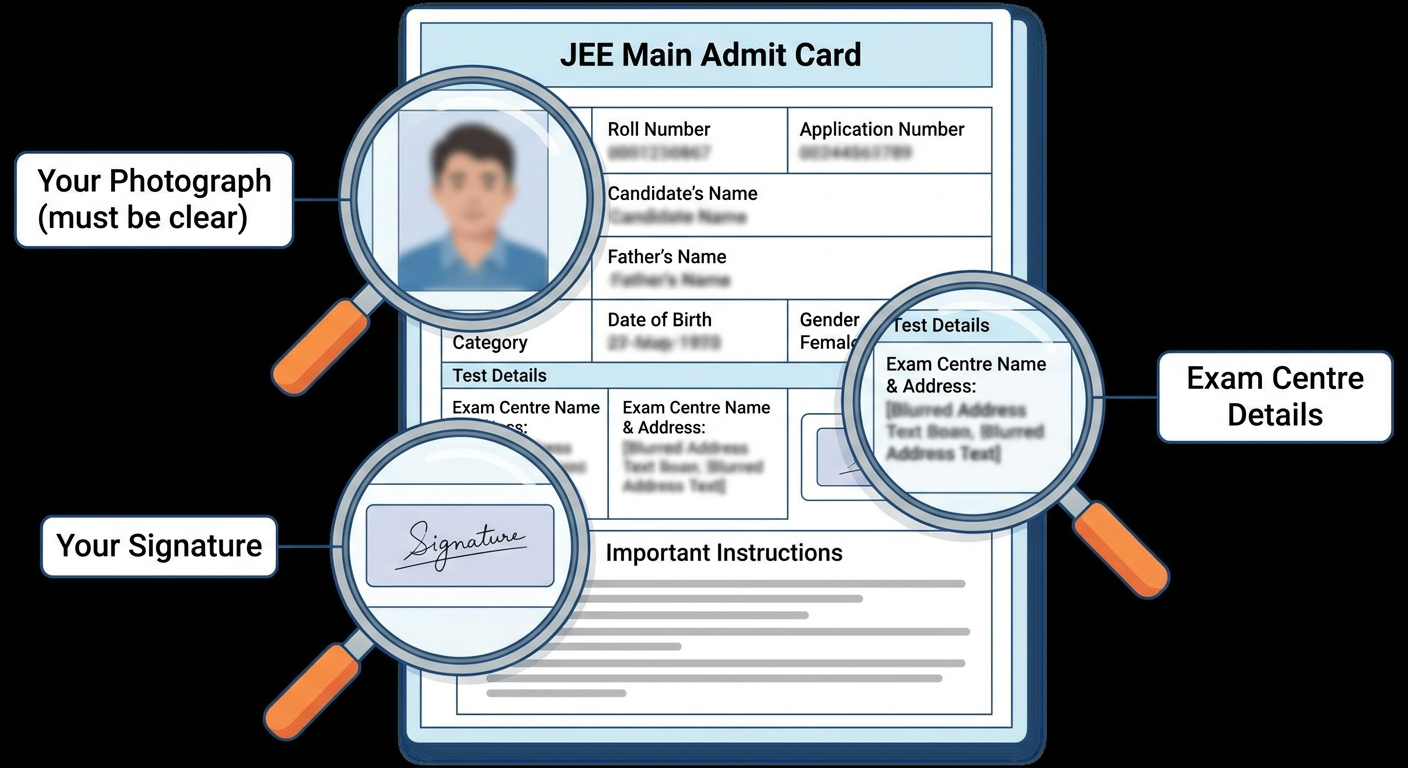 Your NTA admit card is packed with information. It's crucial to check every single detail as soon as you download it. A tiny mistake can cause big problems on exam day. Let's break down what each field means.
Personal Details:
- Candidate's Name: Check if it's spelled correctly, exactly as on your Class 10/12 mark sheet and photo ID.
- Roll Number: Your unique number for the exam.
- Application Number: The number you used to log in.
- Father's Name: Ensure this is correct.
- Category: Your reservation category (GEN, EWS, OBC-NCL, SC, ST). Make sure it's accurate as this affects counselling.
- Gender & Date of Birth: Verify these basic details.
- PwD Status: Should be 'Yes' or 'No' based on what you filled in the form.
- Photograph & Signature: Your scanned photo and signature should be clearly visible and should be yours.
Exam Details:
- Paper: It will mention the paper you are appearing for (e.g., Paper 1: B.E./B.Tech.).
- Exam Date & Shift: The specific date and time slot (Morning: 9 AM - 12 PM or Afternoon: 3 PM - 6 PM) for your exam.
- Reporting Time / Entry Time: The time you must report to the exam centre. It's usually 1.5 to 2 hours before the exam starts.
- Gate Closing Time: This is the hard deadline. You will not be allowed to enter the centre after this time, no matter the reason.
- Test Centre Number & Address: The exact location of your exam venue. Google this address beforehand to know how to get there.
Important Components:
- Self-Declaration (Undertaking): A form on the first page that needs to be filled.
- Important Instructions: A list of rules and regulations for the exam day.
The Crucial JEE Self-Declaration Form (Undertaking)
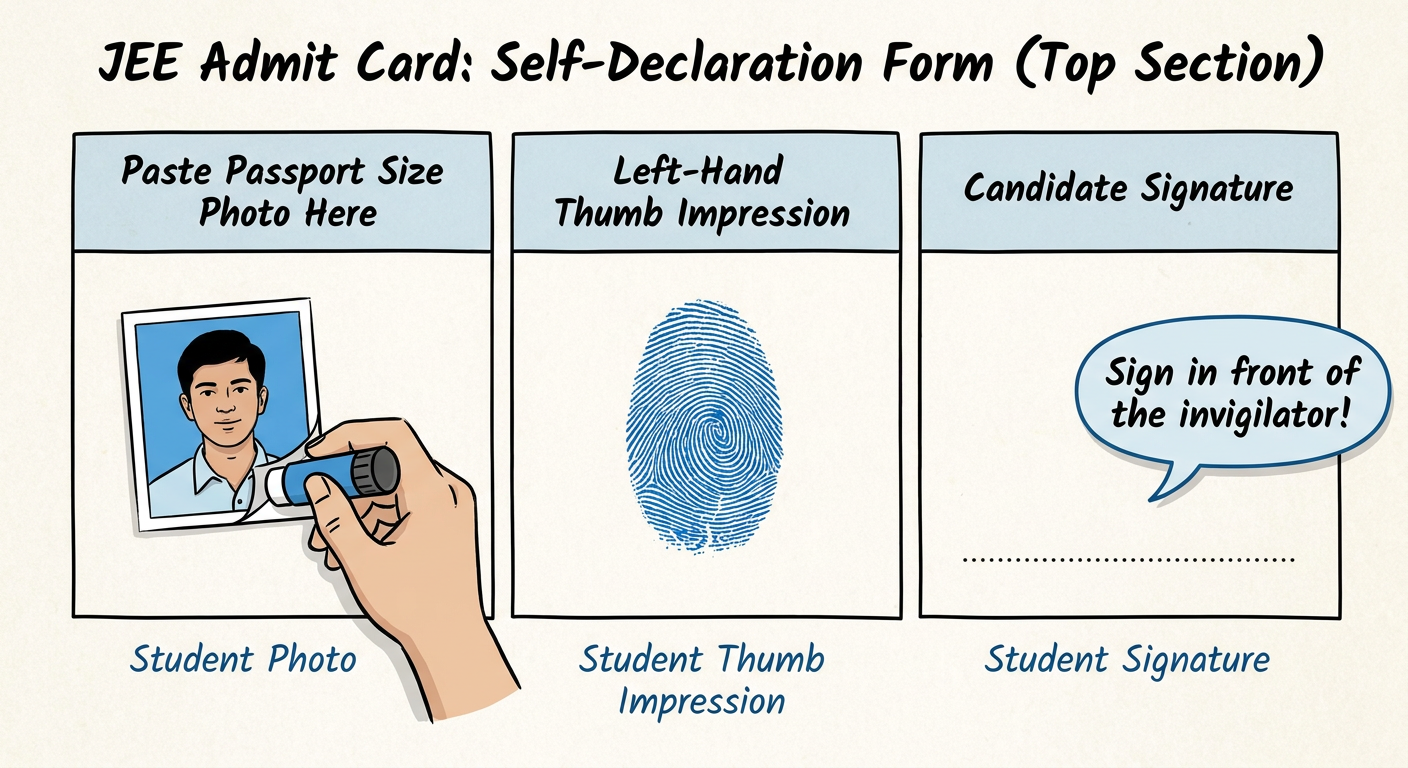 The self-declaration form, or undertaking, is printed on the first page of your JEE Main admit card. It's a mandatory document that you must fill out before reaching the exam centre. The invigilator will check it at the entrance.
Here’s what you need to do with the JEE self-declaration form:
-
Paste Your Photograph: You need to affix a recent, passport-sized photograph. Important: This must be the same photograph that you uploaded in your JEE Main application form. Do not use a different one.
-
Affix Your Left-Hand Thumb Impression: Use a blue/black ink stamp pad. The impression should be clear and not smudged. Practice on a rough sheet first if you're unsure. Make sure you do this at home before leaving for the exam.
-
Candidate's Signature: This is the only part you should NOT fill at home. The signature box must be signed in the exam hall, in the presence of the invigilator.
Filling this form correctly is essential for a smooth entry and verification process on JEE exam day. Do not forget this step.
What to Do if There's a Discrepancy in Your NTA Admit Card?
 After downloading your admit card, your first task is to become a detective. Scrutinize every single detail. What if you find a mistake? A spelling error in your name, a blurry photograph, or the wrong category?
Don't panic, but act fast. The NTA provides a window for addressing such issues. If you find any discrepancy in your JEE admit card, you must contact the NTA immediately.
Steps to take for correction:
- Identify the Error: Pinpoint exactly what is wrong on the admit card.
- Contact the NTA Helpline: Call the NTA helpline numbers provided on their official website. The phone lines can be busy, so be patient and persistent.
- Send an Email: Draft a formal email to the NTA's official email address (usually provided in the information bulletin). Clearly state your Application Number, name, and the exact discrepancy. Attach a scanned copy of your admit card to the email.
Common issues include incorrect personal details, a wrong photo/signature, or an incorrect paper mentioned. Addressing these issues promptly is vital because the details on your admit card must match your photo ID to be allowed into the exam hall.
Essential Documents for JEE Exam Day
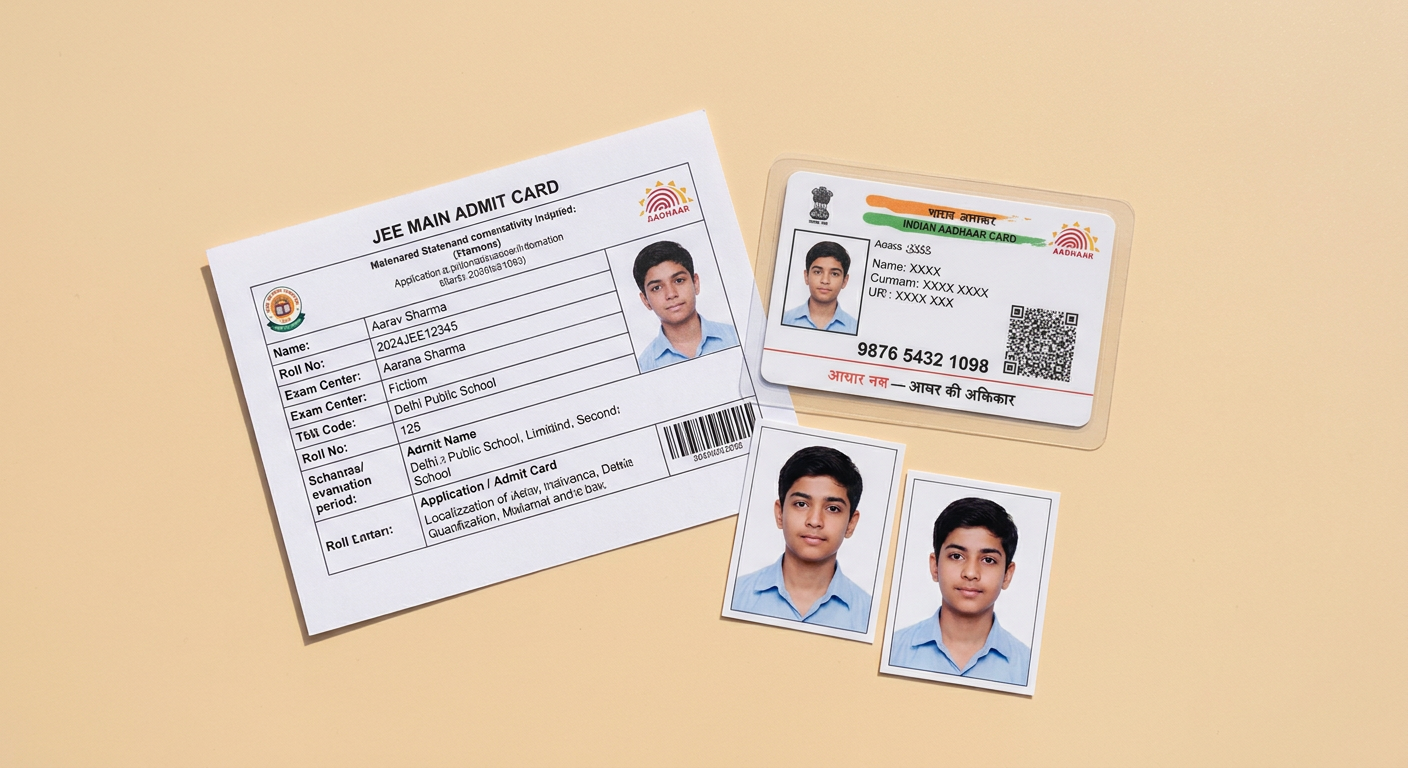 On the day of the exam, you can't just walk in with your admit card. You need a specific set of documents for verification. Forgetting even one of them can lead to you being denied entry. It's a nightmare scenario you can easily avoid with a simple checklist.
Here are the mandatory documents you must carry for a smooth JEE exam day experience:
-
A Clear Printout of your JEE Admit Card: This should be printed on A4 size paper. Make sure all pages are printed, especially the one with the Self-Declaration (Undertaking) filled out.
-
One Passport-sized Photograph: This photograph should be the same as the one you uploaded during registration and pasted on the Self-Declaration form. You'll need to paste this on the attendance sheet at the centre.
-
An Original, Valid Photo ID Proof: This is non-negotiable. It must be an original government-issued ID, not a photocopy or a digital scan on your phone. Accepted IDs include:
- Aadhaar Card
- PAN Card
- Voter ID Card
- Passport
- Driving License
- School ID Card / Class 12 Board Admit Card with photograph
-
PwD Certificate (if applicable): If you are a person with a disability and have claimed relaxation, you must carry the original PwD certificate issued by a competent authority.
Put all these documents in a transparent folder or pouch the night before the exam. This simple habit will save you from a world of stress.
JEE Main 2026 Exam Day Instructions: The Do's and Don'ts
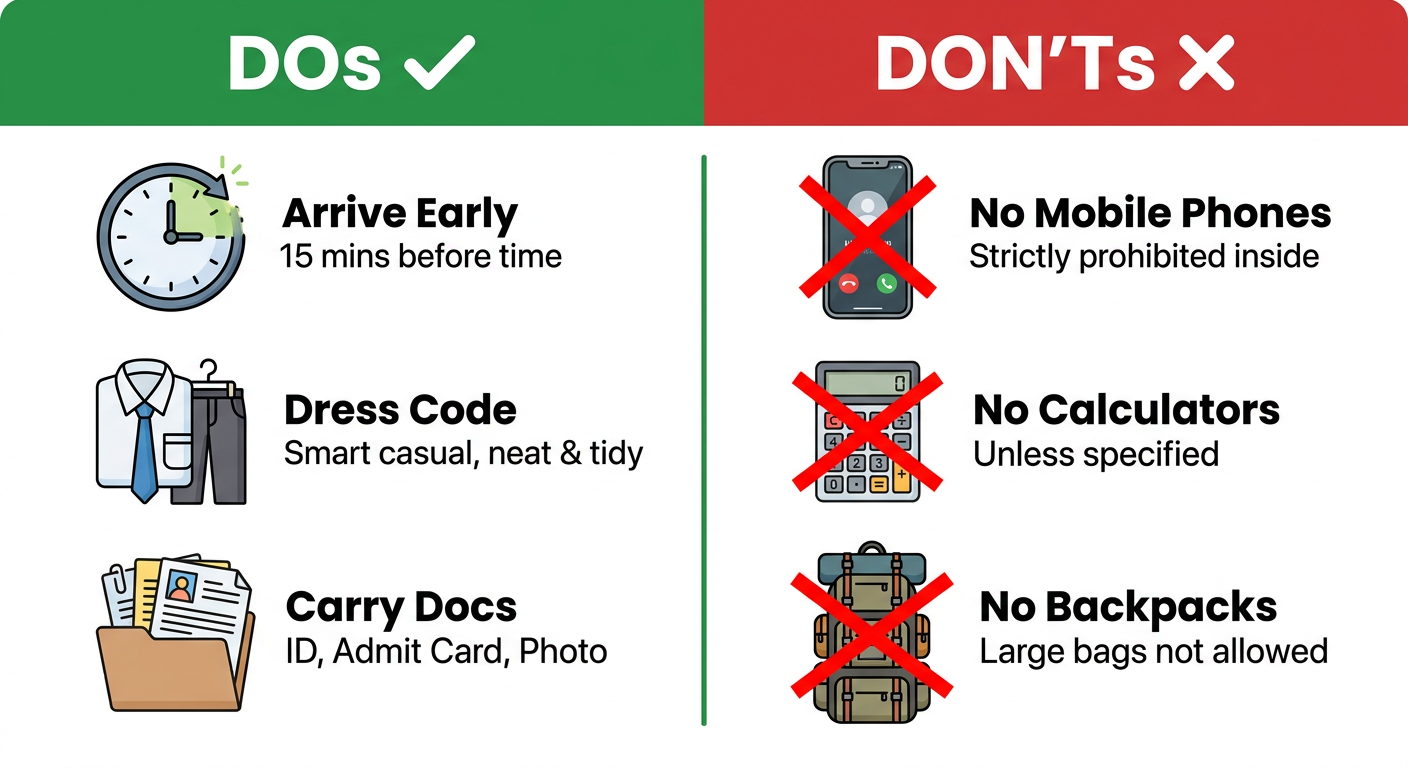 The NTA is extremely strict about the rules and regulations inside the exam centre. Following them is not optional. Understanding the 'Do's' and 'Don'ts' will ensure your focus remains entirely on the exam paper, not on dealing with disciplinary issues.
The 'Do's': What You MUST Do on Exam Day
-
Visit Your Centre in Advance: If possible, visit your exam centre a day or two before the exam. This helps you understand the route, travel time, and traffic conditions, preventing any day-of-the-exam surprises.
-
Arrive Early: The reporting time mentioned on your admit card is there for a reason. Aim to reach the centre at least 90 minutes early. This gives you enough buffer for security checks, identity verification, and finding your designated lab.
-
Dress Simply: Adhere to the dress code. Wear simple, comfortable clothes. Avoid anything with large buttons, pockets, or elaborate embroidery. Light half-sleeve shirts/t-shirts are ideal. Avoid wearing any jewelry, watches, or metallic items.
-
Carry Required Documents Only: Stick to the checklist: Admit Card, Photo ID, and Photograph. Nothing more, nothing less.
-
Cooperate with Staff: Be polite and cooperate with the security personnel and invigilators during frisking and verification. They are just doing their job to ensure a fair exam for everyone.
-
Use Rough Sheets Properly: You will be provided with blank sheets for rough work. Write your Name and Roll Number on the top of each sheet as instructed. All rough work must be done on these sheets only.
-
Submit Documents Before Leaving: At the end of the exam, you must drop your admit card and all the rough sheets in the designated dropbox. Taking them outside the exam hall is strictly prohibited and can lead to disqualification.
The 'Don'ts': What to Absolutely AVOID
This list is even more important. Bringing a prohibited item can lead to immediate disqualification. Take this very seriously.
-
NO Electronic Devices: This is the golden rule. Absolutely no mobile phones, smartwatches, fitness bands, calculators, Bluetooth devices, earphones, or any other electronic gadgets are allowed. Most centres do not have a facility to store your belongings, so it's best to leave them at home or with your parents outside.
-
NO Stationery from Home: You are not allowed to carry your own pen, pencil, eraser, or geometry box. A pen/pencil and rough sheets will be provided at your desk in the exam hall.
-
NO Personal Belongings: Bags, wallets, belts with large buckles, caps, and goggles are generally not permitted inside. Travel light.
-
NO Food or Drink: Eat a good meal before you leave home. You are not allowed to carry any food items inside. A transparent water bottle without any labels might be permitted, but check the instructions on your admit card.
-
NO Cheating or Talking: Do not attempt to talk to or gesture at any other candidate. Keep your eyes on your own screen. Any suspicious activity will be monitored via CCTV and can have severe consequences.
Understanding Your JEE Exam Centre and Shift Timings
 Your admit card specifies your exam shift. JEE Main is usually conducted in two shifts per day.
- Morning Shift: 9:00 AM to 12:00 PM
- Afternoon Shift: 3:00 PM to 6:00 PM
However, the exam timing is not the only time you need to worry about. The process at the centre starts much earlier. Here’s a typical breakdown of the timeline on exam day:
| Activity | Morning Shift | Afternoon Shift |
|---|---|---|
| Reporting Time Starts | 7:30 AM | 1:30 PM |
| Gate Closing Time | 8:30 AM | 2:30 PM |
| Instructions by Invigilator | 8:30 AM - 8:50 AM | 2:30 PM - 2:50 PM |
| Candidate Login to Read Instructions | 8:50 AM | 2:50 PM |
| Exam Starts | 9:00 AM | 3:00 PM |
| Exam Ends | 12:00 PM | 6:00 PM |
The Gate Closing Time is absolute. Even if you are one minute late, you will not be allowed to enter. Plan your travel to account for unexpected delays.
Once inside, you'll go through frisking, have your documents verified, and be directed to your assigned computer terminal. You can log in a few minutes before the exam starts to read the on-screen instructions. Familiarize yourself with the computer-based test (CBT) interface: how to navigate between questions, mark questions for review, and submit your answers.
A Quick Look at the JEE Main 2026 Exam Pattern
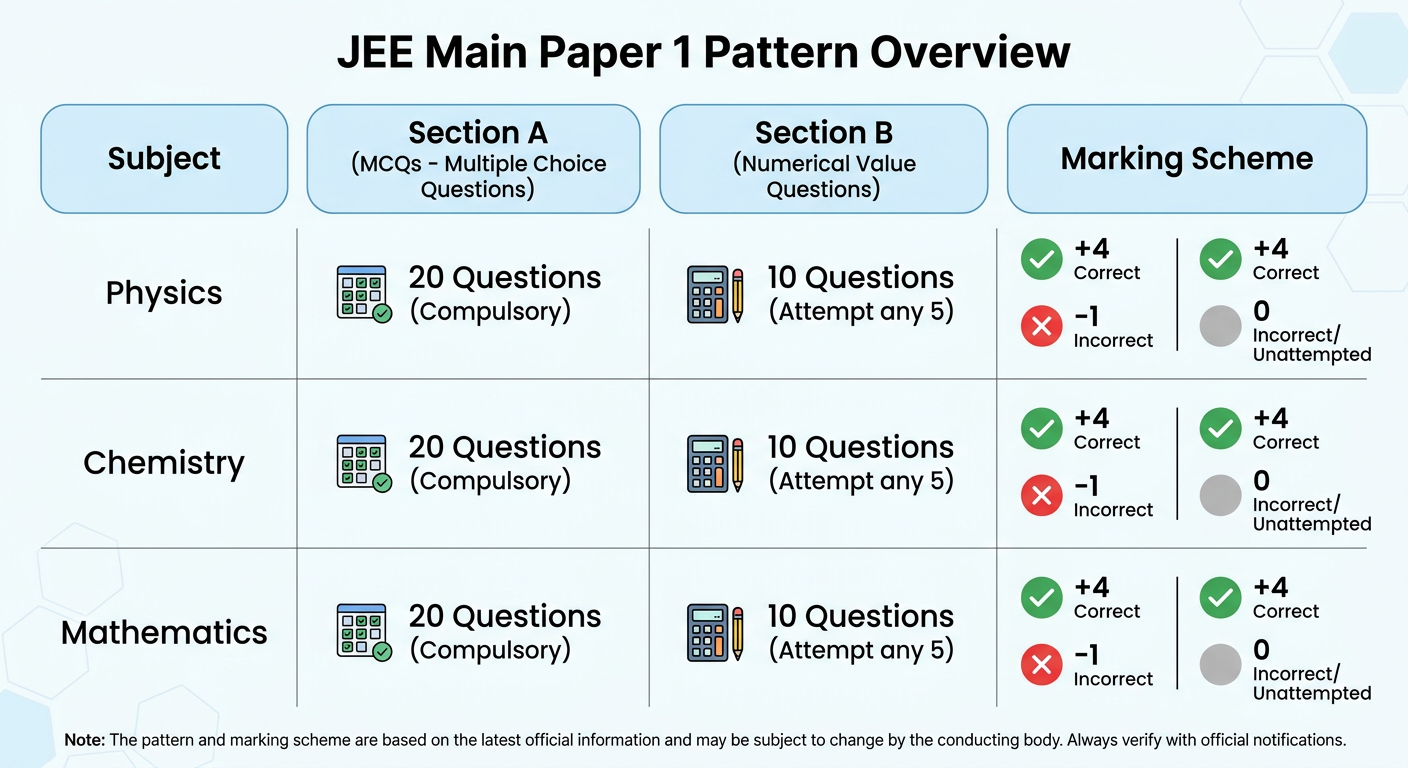 While this guide is focused on the admit card, it's helpful to quickly recap the exam structure you're preparing for. Knowing the pattern helps you manage your time effectively during the three hours of the exam.
Here’s the exam pattern for Paper 1 (B.E./B.Tech):
- Subjects: Physics, Chemistry, and Mathematics.
- Total Questions: 90 questions (30 from each subject).
- Questions to be Attempted: 75 questions (25 from each subject).
Each subject is divided into two sections:
-
Section A (MCQs): Consists of 20 multiple-choice questions. All are compulsory.
- Marking: +4 for a correct answer, -1 for an incorrect answer, 0 for an unattempted question.
-
Section B (Numerical Value): Consists of 10 questions where the answer is a numerical value. You have to attempt any 5 out of these 10 questions.
- Marking: +4 for a correct answer, 0 for an incorrect answer (traditionally no negative marking in this section, but always verify from the latest NTA bulletin).
For a complete topic-wise breakdown, you should always refer to the official JEE syllabus breakdown. This will help you align your last-minute revision perfectly.
Leveraging Resources for Last-Minute Prep
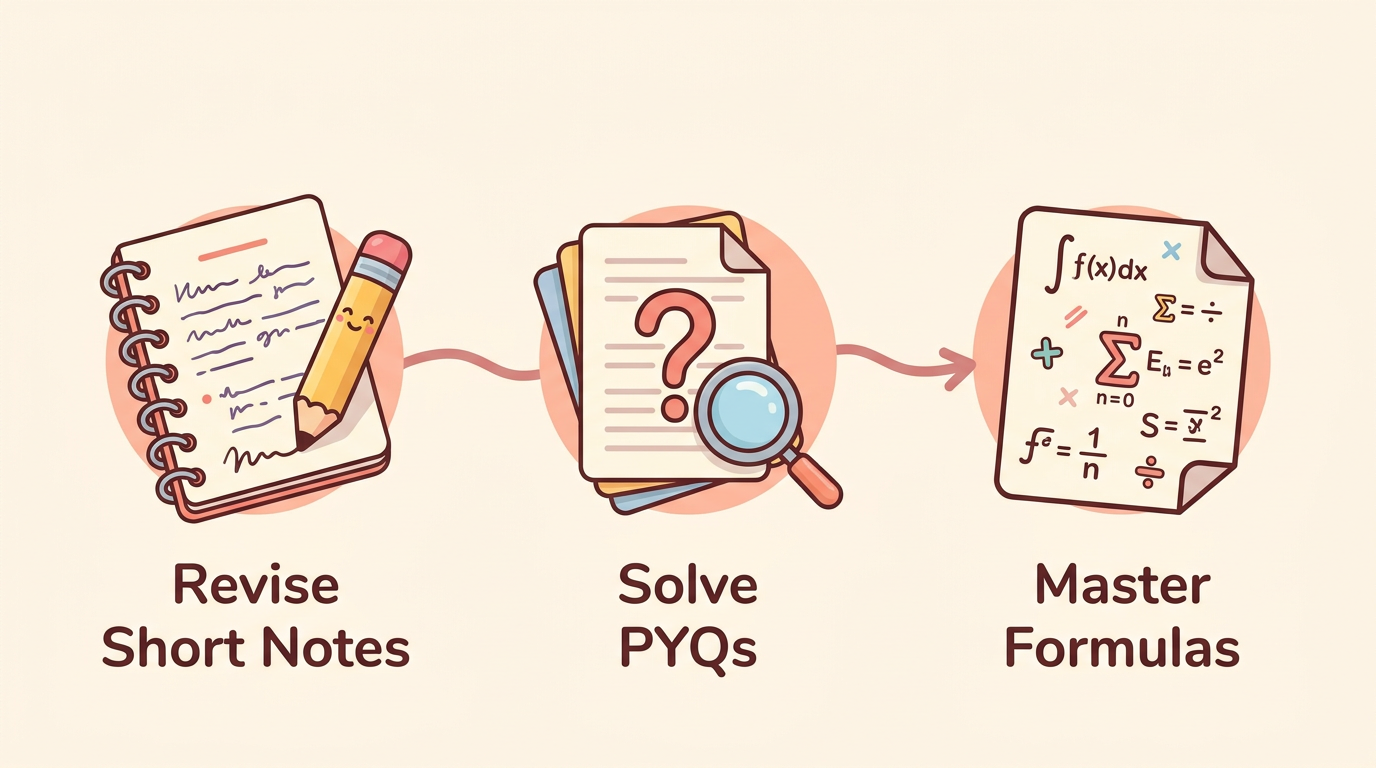 In the days leading up to the exam after you've downloaded your admit card, your preparation strategy needs to shift. This is not the time to start new, complex topics. It's time for smart revision and building confidence.
-
Focus on Revision: Go through your short notes and highlight key concepts. Your brain should be focused on consolidating what you already know, not learning new things.
-
Master the Formulas: Physics and Maths are heavily formula-based. Use dedicated formula sheets for quick revision. You can find comprehensive formula sheets on our resources hub.
-
Solve Previous Year Questions (PYQs): The single best thing you can do in the final week is to solve Previous Year Questions. This gets you in the zone, helps you understand the question patterns, and is the best form of mock test.
-
Stay Calm and Confident: Your mindset is a powerful tool. Trust your preparation. Get adequate sleep, especially the night before the exam. A well-rested mind performs significantly better than a sleep-deprived one. Check out our hub for more free resources to aid your final prep.
After the Exam: What's Next?
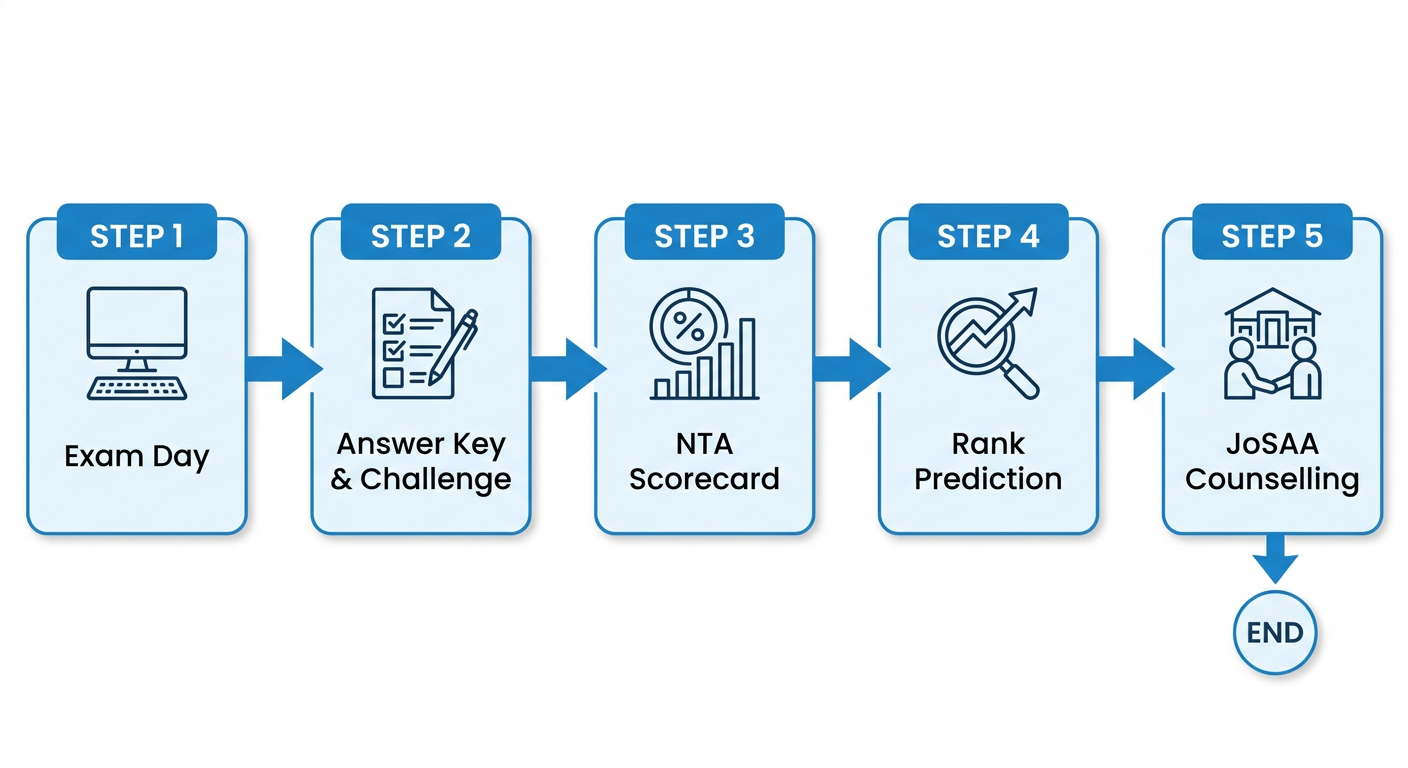 Once you walk out of the exam hall, take a deep breath. You've done your part. But the journey isn't over yet. Here’s a quick look at what follows the exam.
-
Provisional Answer Key: A few days after the exam, the NTA will release the provisional answer key along with your recorded responses. You can check your answers and calculate a probable score.
-
Answer Key Challenge: If you disagree with any of the official answers, the NTA provides a window to challenge them by submitting proof and paying a fee.
-
Final Result & NTA Scorecard: After considering the challenges, the NTA releases the final answer key and your official result in the form of an NTA Score (percentile). This will be available on the same official website.
-
Rank Prediction: Your NTA percentile score can be confusing. To get a clearer picture of your potential admission chances, you can use a reliable JEE rank predictor tool. This tool uses data from previous years to estimate your All India Rank (AIR) based on your score.
-
JEE Advanced & Counselling: If you clear the cutoff, you become eligible for JEE Advanced, the gateway to the IITs. You can find more information on their official JEE Advanced site. For admissions to NITs, IIITs, and other GFTIs, your JEE Main rank will be used in the JoSAA/CSAB counselling process.
FAQs
When will the JEE Main 2026 admit card be released?
Typically, the NTA releases the JEE Main admit card about 3 days before the candidate's scheduled exam date. It is not released for all candidates on a single day but in phases according to the exam schedule.
Can I change my exam city after the admit card is released?
No. The exam city and centre allotted and mentioned on the admit card are final. No requests for a change of centre will be entertained by the NTA after the admit card is issued.
What if my photo on the admit card is not clear?
If your photograph or signature is blurry or not visible, you should immediately contact the NTA helpline via phone or email. It's also advisable to carry extra passport-sized photographs (the same one used in the application) to the exam centre and inform the invigilator about the issue.
Is a color printout of the admit card necessary?
A color printout is always recommended as it makes your photograph and other details clearer and easier for verification. While a black and white printout may be accepted if it's clear, it's best not to take any chances.
I lost my admit card. What should I do?
Don't worry. The admit card is available for download on the NTA website until your exam day. You can simply log in again using your application number and date of birth and download it again. This is why saving the PDF file on your computer or cloud storage is a good idea.
What ID proofs are valid at the exam centre?
You must carry an original, non-expired, and valid government-issued photo ID. Accepted proofs include Aadhaar Card, PAN Card, Driving License, Voter ID, Passport, or a Class 12 Board Admit Card with a photo. Digital copies or photocopies are not allowed.